'%20stroke='%23ADB7CD'%3e%3cg%20id='斜线'%20transform='translate(466,%20173)'%3e%3cline%20x1='0'%20y1='10'%20x2='5'%20y2='0'%20id='路径'%3e%3c/line%3e%3c/g%3e%3c/g%3e%3c/g%3e%3c/svg%3e)
Residential IPs vs. Datacenter IPs: What’s the Difference?
Residential IPs vs. Datacenter IPs: What’s the Difference?
'%20fill='%23ADB7CD'%20fill-rule='nonzero'%3e%3cg%20id='日期'%20transform='translate(428,%20369)'%3e%3cpath%20d='M15,2%20L19,2%20C19.2652,2%2019.5196,2.10536%2019.7071,2.29289%20C19.8946,2.48043%2020,2.73478%2020,3%20L20,19%20C20,19.2652%2019.8946,19.5196%2019.7071,19.7071%20C19.5196,19.8946%2019.2652,20%2019,20%20L1,20%20C0.73478,20%200.48043,19.8946%200.29289,19.7071%20C0.10536,19.5196%200,19.2652%200,19%20L0,3%20C0,2.73478%200.10536,2.48043%200.29289,2.29289%20C0.48043,2.10536%200.73478,2%201,2%20L5,2%20L5,0%20L7,0%20L7,2%20L13,2%20L13,0%20L15,0%20L15,2%20Z%20M13,4%20L7,4%20L7,6%20L5,6%20L5,4%20L2,4%20L2,8%20L18,8%20L18,4%20L15,4%20L15,6%20L13,6%20L13,4%20Z%20M18,10%20L2,10%20L2,18%20L18,18%20L18,10%20Z%20M4,13%20L6,13%20L6,15%20L4,15%20L4,13%20Z%20M8,13%20L16,13%20L16,15%20L8,15%20L8,13%20Z'%20id='形状'%3e%3c/path%3e%3c/g%3e%3c/g%3e%3c/g%3e%3c/svg%3e) September 23.2026
September 23.2026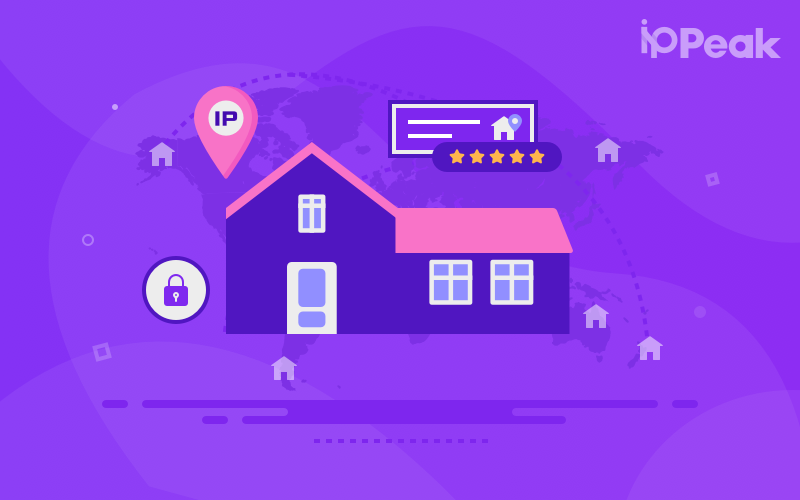
When choosing proxy IPs, residential IPs and datacenter IPs are often compared. Both can serve as network request endpoints, but they differ in terms of network source, IP ownership, and suitable use cases. Understanding these differences can help users choose the right network resources based on their actual needs rather than simply comparing IP pool size or price.
Residential IPs: From Residential Networks
Residential IPs are typically associated with home broadband and similar residential network environments, with their network ownership generally linked to a specific Internet Service Provider (ISP). From a network perspective, devices connect to the public internet through an ISP network, making residential IPs more closely associated with residential connectivity.
For use cases such as researching public web information across different regions, conducting regional data analysis, or testing different network environments, residential IPs can provide a network environment that is closer to typical residential connections. In these cases, factors such as IP location, ISP, ASN, and connection quality are all worth considering.
Datacenter IPs: Centralized Network Resources
Datacenter IPs typically come from cloud service providers, hosting facilities, or other datacenter networks, where resources are relatively centralized. These IPs are commonly used for server deployment, API services, automated testing, and enterprise infrastructure.
Compared with residential networks, datacenter networks have different network ownership and connection characteristics. Therefore, if a project needs to research different ISP or residential network environments, using only datacenter IPs may not fully reflect the target network conditions.
ASN: An Important Indicator of Network Type
In addition to the IP address itself, ASN is another important reference when identifying a network environment. An ASN identifies an Autonomous System and can provide additional information about the network organization or ISP associated with an IP.
For projects that require network environment analysis, selecting IPs based only on country or region may not be sufficient. Combining geographic targeting with ASN targeting can help distinguish resources from different network providers and provide more specific testing conditions.
When Are Residential IPs More Suitable?
If a project involves public information research across multiple regions, market data analysis, web content collection, or regional network testing, residential IPs may be more suitable for these scenarios. When choosing residential proxies, it is worth considering IP coverage, geographic targeting, ISP/ASN targeting, connection success rate, and session management capabilities rather than focusing only on IP pool size.
How to Choose the Right Residential Network Resources?
For scenarios requiring residential network environments across multiple regions, IPPeak provides 80M+ residential IPs across 195+ countries and regions, with country/region + ASN targeting, as well as rotating and sticky sessions. Connection success rates can reach 99.5%, with response times below 0.5 seconds. For projects that require a more stable residential network endpoint, IPPeak Static Residential Proxies are billed per IP and support unlimited traffic, 30+ regions, and custom subnet selection, with IPs retained for up to 90 days. This makes them suitable for scenarios that require a relatively consistent residential network environment over an extended period.
Residential IPs vs. Datacenter IPs: How to Choose?
There is no single option that is suitable for every scenario. Datacenter networks may be more appropriate for server deployment and infrastructure connectivity, while residential IPs can be considered for regional information research and residential network testing. When making a choice, it is also important to consider factors such as IP type, ISP, ASN, geographic coverage, connection quality, and session requirements.
You might also enjoy
Residential IPs vs. Datacenter IPs: What’s the Difference?
Residential IPs vs. datacenter IPs: understand their network differences, use cases, and key selection factors with IPPeak.
September 23.2026

Is a New IP a Clean IP? Common Misconceptions About Proxy IP Reputation
New IPs aren’t always clean. Learn what affects IP reputation and how IPPeak helps you choose reliable residential proxy resources.
September 23.2026
Proxy IP vs VPN: Differences and Use Cases
Compare proxy IPs and VPNs, explore their differences and use cases, and see how IPPeak residential proxies support flexible network access.
September 23.2026
'%3e%3cg%20id='装饰物左'%20transform='translate(70,%20789.5)%20scale(-1,%20-1)%20translate(-70,%20-789.5)translate(0,%20674)'%3e%3cmask%20id='mask-2'%20fill='white'%3e%3cuse%20xlink:href='%23path-1'%3e%3c/use%3e%3c/mask%3e%3cg%20id='矩形'%3e%3c/g%3e%3cg%20id='bg-graphic-5'%20mask='url(%23mask-2)'%3e%3cg%20transform='translate(0,%20-23)'%3e%3cline%20x1='140.97459'%20y1='23.29327'%20x2='66.47459'%20y2='97.7934'%20id='路径'%20stroke='%23DFE6F3'%20stroke-width='1'%20fill='none'%3e%3c/line%3e%3cline%20x1='140.99959'%20y1='154.6709'%20x2='79.99999'%20y2='215.6709'%20id='路径'%20stroke='%23DFE6F3'%20stroke-width='1'%20fill='none'%3e%3c/line%3e%3cline%20x1='140.99959'%20y1='110.2705'%20x2='24.44919'%20y2='226.8209'%20id='路径'%20stroke='%23DFE6F3'%20stroke-width='1'%20fill='none'%3e%3c/line%3e%3cline%20x1='140.99959'%20y1='64.945'%20x2='0'%20y2='205.9449'%20id='路径'%20stroke='%23DFE6F3'%20stroke-width='1'%20fill='none'%3e%3c/line%3e%3cline%20x1='140.99959'%20y1='196.2959'%20x2='83.64959'%20y2='253.6469'%20id='路径'%20stroke='%23DFE6F3'%20stroke-width='1'%20fill='none'%3e%3c/line%3e%3cline%20x1='141.35359'%20y1='110.6238'%20x2='89.97929'%20y2='161.9979'%20id='路径'%20stroke='%237868E6'%20stroke-width='2'%20fill='none'%3e%3c/line%3e%3cline%20x1='164.70859'%20y1='0'%20x2='113.33459'%20y2='51.3743'%20id='路径'%20stroke='%237868E6'%20stroke-width='2'%20fill='none'%3e%3c/line%3e%3ccircle%20id='椭圆形'%20stroke='%237868E6'%20stroke-width='2'%20fill='%23E1DDFD'%20fill-rule='nonzero'%20cx='86.61909'%20cy='165.2909'%20r='5'%3e%3c/circle%3e%3cline%20x1='117.47459'%20y1='178.4359'%20x2='103.61959'%20y2='192.2909'%20id='路径'%20stroke='%237868E6'%20stroke-width='1'%20fill='none'%3e%3c/line%3e%3cline%20x1='69.83009'%20y1='136.2929'%20x2='55.97459'%20y2='150.1489'%20id='路径'%20stroke='%237868E6'%20stroke-width='1'%20fill='none'%3e%3c/line%3e%3ccircle%20id='椭圆形'%20stroke='%237868E6'%20stroke-width='2'%20fill='%23E1DDFD'%20fill-rule='nonzero'%20cx='109.97459'%20cy='54.6672'%20r='5'%3e%3c/circle%3e%3c/g%3e%3c/g%3e%3c/g%3e%3c/g%3e%3c/g%3e%3c/svg%3e)
'%3e%3cg%20id='装饰物右'%20transform='translate(1780,%20214)'%3e%3cmask%20id='mask-2'%20fill='white'%3e%3cuse%20xlink:href='%23path-1'%3e%3c/use%3e%3c/mask%3e%3cg%20id='矩形'%3e%3c/g%3e%3cg%20id='bg-graphic-5'%20mask='url(%23mask-2)'%3e%3cg%20transform='translate(0,%20-23)'%3e%3cline%20x1='140.97459'%20y1='23.29327'%20x2='66.47459'%20y2='97.7934'%20id='路径'%20stroke='%23DFE6F3'%20stroke-width='1'%20fill='none'%3e%3c/line%3e%3cline%20x1='140.99959'%20y1='154.6709'%20x2='79.99999'%20y2='215.6709'%20id='路径'%20stroke='%23DFE6F3'%20stroke-width='1'%20fill='none'%3e%3c/line%3e%3cline%20x1='140.99959'%20y1='110.2705'%20x2='24.44919'%20y2='226.8209'%20id='路径'%20stroke='%23DFE6F3'%20stroke-width='1'%20fill='none'%3e%3c/line%3e%3cline%20x1='140.99959'%20y1='64.945'%20x2='0'%20y2='205.9449'%20id='路径'%20stroke='%23DFE6F3'%20stroke-width='1'%20fill='none'%3e%3c/line%3e%3cline%20x1='140.99959'%20y1='196.2959'%20x2='83.64959'%20y2='253.6469'%20id='路径'%20stroke='%23DFE6F3'%20stroke-width='1'%20fill='none'%3e%3c/line%3e%3cline%20x1='141.35359'%20y1='110.6238'%20x2='89.97929'%20y2='161.9979'%20id='路径'%20stroke='%237868E6'%20stroke-width='2'%20fill='none'%3e%3c/line%3e%3cline%20x1='164.70859'%20y1='0'%20x2='113.33459'%20y2='51.3743'%20id='路径'%20stroke='%237868E6'%20stroke-width='2'%20fill='none'%3e%3c/line%3e%3ccircle%20id='椭圆形'%20stroke='%237868E6'%20stroke-width='2'%20fill='%23E1DDFD'%20fill-rule='nonzero'%20cx='86.61909'%20cy='165.2909'%20r='5'%3e%3c/circle%3e%3cline%20x1='117.47459'%20y1='178.4359'%20x2='103.61959'%20y2='192.2909'%20id='路径'%20stroke='%237868E6'%20stroke-width='1'%20fill='none'%3e%3c/line%3e%3cline%20x1='69.83009'%20y1='136.2929'%20x2='55.97459'%20y2='150.1489'%20id='路径'%20stroke='%237868E6'%20stroke-width='1'%20fill='none'%3e%3c/line%3e%3ccircle%20id='椭圆形'%20stroke='%237868E6'%20stroke-width='2'%20fill='%23E1DDFD'%20fill-rule='nonzero'%20cx='109.97459'%20cy='54.6672'%20r='5'%3e%3c/circle%3e%3c/g%3e%3c/g%3e%3c/g%3e%3c/g%3e%3c/g%3e%3c/svg%3e)
© Copyright 2026 ippeak.com. All rights reserved.


